BEFORE YOU UPLOAD
Choose a model photo you can actually inspect.
Start with the part of the outfit you want to show. Then check whether the person photo gives you a clear view of that area. This guide helps you choose a reference and keep track of what still needs another photo.
Check my referenceLook at what each photo lets you see
A photo can be useful for one task and leave gaps for another. Read the observations alongside the original images; a hidden area is unknown, not evidence that the AI will reconstruct it correctly.
A / Front view
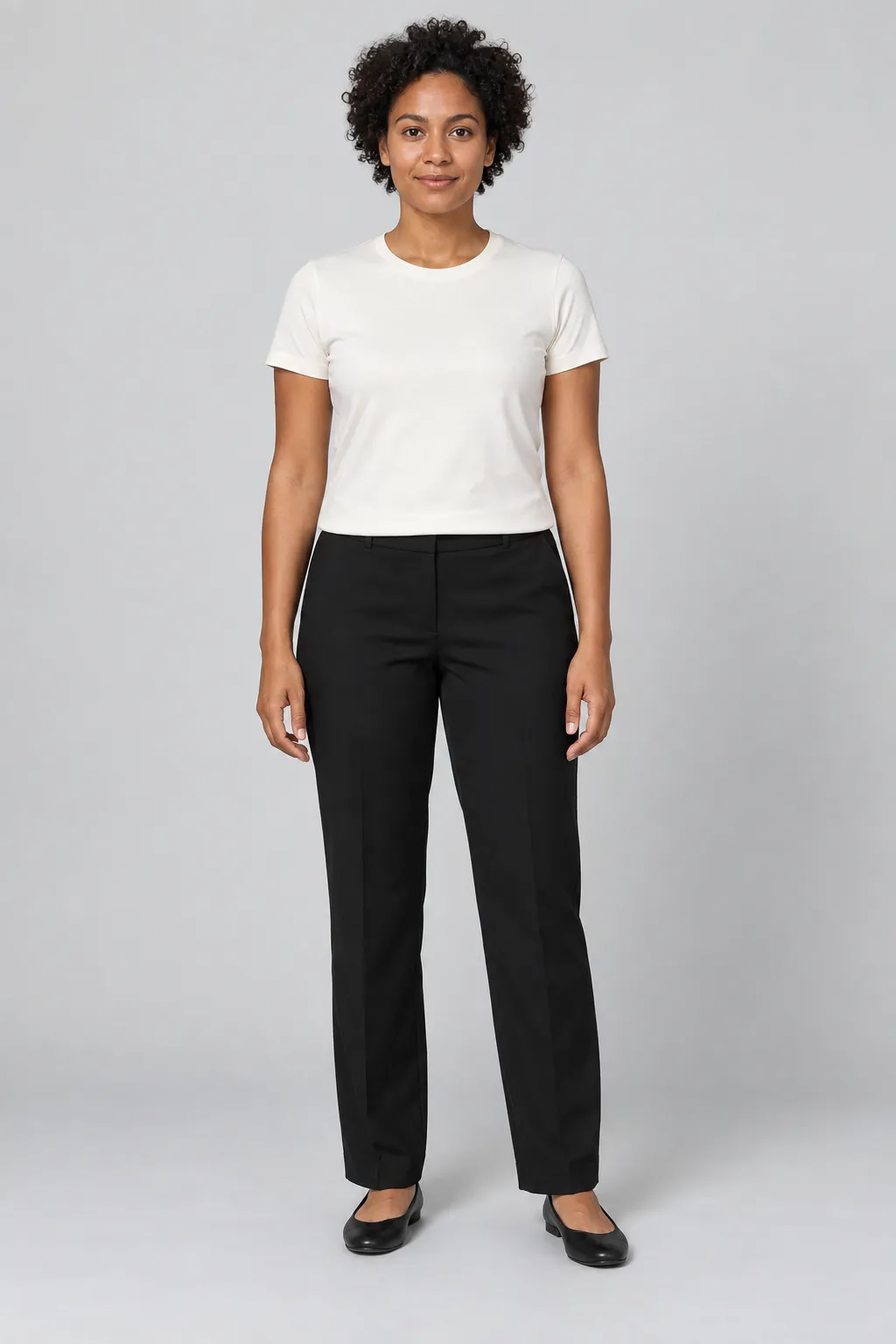
Synthetic adult reference · used in our published flat-lay tutorial.
- Face and shoulders
The face and both shoulders are visible from the front.
- Arms and waist
Both hands are outside the pockets. The arms do not cross the front of the shirt.
- Full-length framing
The trousers and shoes stay inside the frame. You can inspect the whole outfit area.
B / Angled view
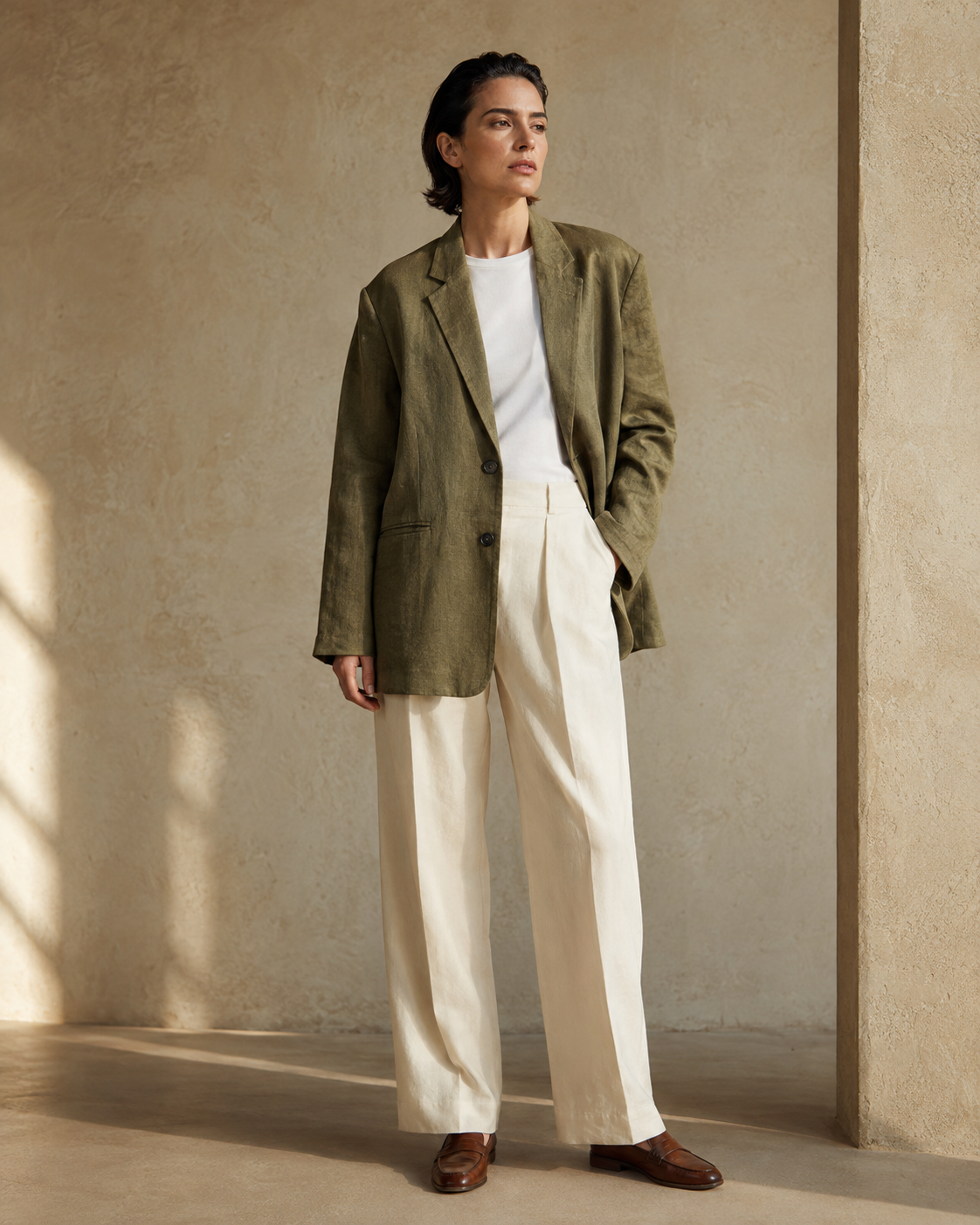
Synthetic adult reference · an existing editorial teaching image.
- An angled face and body
The person is turned. The two sides of the body are not shown equally.
- A partially hidden waist
One hand is in a pocket. The arm and jacket cover part of the waistband and torso.
- Feet included, details still hidden
Both shoes are visible, but full-length framing does not reveal the areas covered by the jacket.
If your task needs a hidden waistband, sleeve or side seam, choose another reference or take a clearer photo. Do not describe an unseen detail as if the source image verified it.
See the actual generation from reference ABEFORE YOU UPLOAD
Make a reference checklist for your task
Keep your own photo beside this page. Choose the intended framing and mark only what you have checked. Nothing here uploads or analyzes your image.
Inspect head-to-toe coverage, including the hem, legs and shoes. A portrait crop cannot show missing lower-body details.
Checks stay in this page and reset when you reload. The download contains your selected task and checkbox state; it does not contain a photo. If you allow analytics, only fixed interaction events are recorded, not your answers.
https://tryonswap.com/en/blog/reference-model-photo-guide
Put each image in the right place
Model photo
The starting adult person image. It is required for the current studio workflows.
Garment photos
Separate clothing references. A photo of someone already wearing clothes does not replace this input.
Replace the model
An additional target-person reference for Outfit swap or Full look when you request a different person. It does not replace the starting Model photo.
Continue with the next part of the workflow
Open the studioSign-in required. Bring an adult person photo and separate garment references.
Further reading
Google’s photo advice below is for its own Try-On product. It provides a separate reference on visible hands, framing and lighting; its capabilities and requirements are not TryOnSwap features.
Google Shopping Help: photo requirements for its Try-On tool