Start with a person photo
Upload a clear photo of yourself or an adult model you have permission to use. Pick a frame that shows the parts of the body you want to dress. A full-length image is useful when shoes and trousers are part of the look.
YOUR PIECES. YOUR POINT OF VIEW.
Build a look from the clothes you choose.
That jacket. Those jeans. The shoes you keep coming back to. Bring them together in one AI outfit image, using your own photo and clothing references.
Build my outfitOpen the studio, then choose Full look. Sign-in required.
See how it works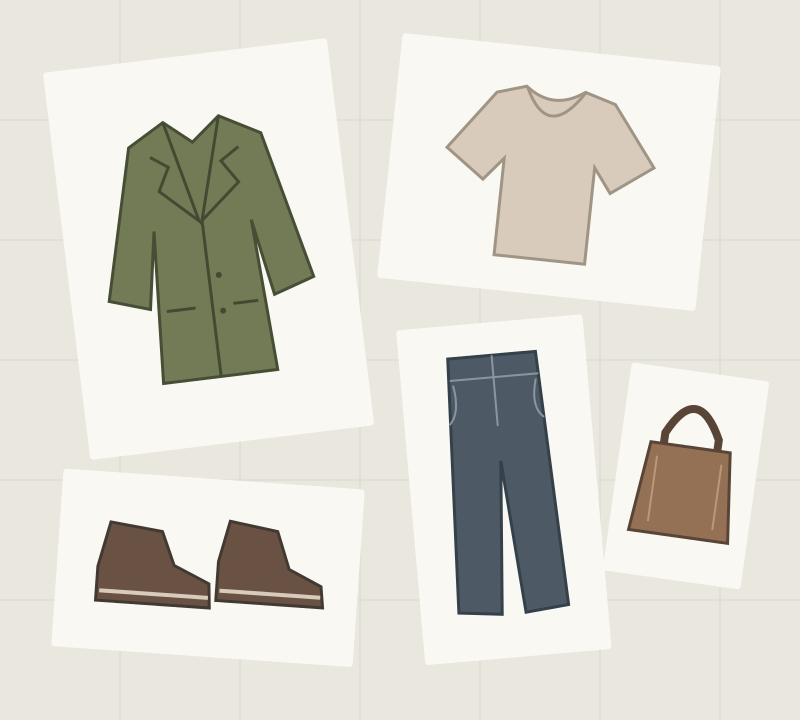
One person photo + up to five clothing and accessory references.
Workflow illustration — not a generated result.FROM PIECES TO A PICTURE
Use Full look in the TryOnSwap studio to assemble an outfit visually. You supply the pieces and the styling direction.
Upload a clear photo of yourself or an adult model you have permission to use. Pick a frame that shows the parts of the body you want to dress. A full-length image is useful when shoes and trousers are part of the look.
Choose Full look, then add references for an outer layer, an inner top, bottoms, shoes and an accessory. Use the slots you need; you do not have to fill all five. Clear, unobstructed garment photos give the AI more detail to work with.
Add a note to each uploaded piece: leave the jacket open, tuck the shirt in, or carry the bag at the side. Review the credit cost in the studio, generate your outfit, and check the result before downloading.
FIVE SLOTS, ONE DIRECTION
Choose the combination yourself. The generator uses your clothing references to visualize the look on your person photo.
A jacket, blazer or coat to set the silhouette.
“Leave the blazer open.”
A shirt, tee or knit that works with your outer layer.
“Tuck the shirt into the trousers.”
Trousers, jeans or a skirt to bring the proportions together.
“Keep the trouser legs straight.”
Finish the look with your own footwear reference.
“Keep the shoes visible.”
Add a bag or another accessory as the final detail.
“Carry the bag at the side.”
These are example instructions, not guaranteed outcomes. Review how each piece appears in the generated image.
MAKE AN IDEA VISIBLE
Bring together clothes you already own, or references you are allowed to use. Try a different jacket or pair of shoes to explore the overall combination before you get dressed.
Put an outfit concept into a visual brief. Keep the same person and clothing references while changing one piece or a wear note to explore an alternative.
Arrange pieces from your own collection into a coordinated look. Use the image as a starting point for styling discussions, and review garment details before using it in public.
TRY A LOOK
New accounts receive 12 credits. An entry-level 1K image costs 4 credits, enough for up to 3 images at that setting. Other output settings can cost more; check the studio before generating.
See credit packs and pricingYes. Upload a person photo and individual clothing images in Full look mode. TryOnSwap supports an outer layer, inner top, bottoms, shoes and an accessory, with an optional wear note for each uploaded piece.
No. Upload the pieces you want to combine. The five slots organize the kinds of references you can add; they are not a requirement to provide five images.
This workflow needs a person photo and clothing reference images. Text notes help describe how a piece should be worn; they do not replace the image inputs.
New accounts receive 12 sign-up credits. At 4 credits per entry-level 1K image, that covers up to 3 images. After the allowance is used, additional generations require credits. See the pricing page for the current packs.
No. The result is an AI visualization, not a measurement or fitting simulation. Fabrics, garment details, faces and proportions may change. Use the image to explore a look, and check sizing with the garment seller or your own measurements.
This outfit generator page focuses on combining several references into a coordinated look. For replacing a single garment in a photo, the AI clothes changer workflow is a simpler starting point. Both are available in the TryOnSwap studio.
YOUR NEXT LOOK STARTS HERE
Open the studio, then choose Full look. Sign-in required.