Flat lay
Useful for: Visible outline and photographed details
Prepare: Arrange the real garment, use even light and photograph from above.
Keep in mind: It cannot show hidden surfaces or prove how the garment fits a person.
CHOOSE THE JOB / THEN THE METHOD
Start with what the buyer needs to see. These methods answer different questions; one attractive scene does not replace the photographs that document your item.
Build your photo-method brief ↓AI-GENERATED VISUAL GUIDE
All three panels below are AI-generated, including the flat-lay and ghost-mannequin views. They show presentation ideas for a fictional shirt, not photographs of a real garment or a controlled comparison.
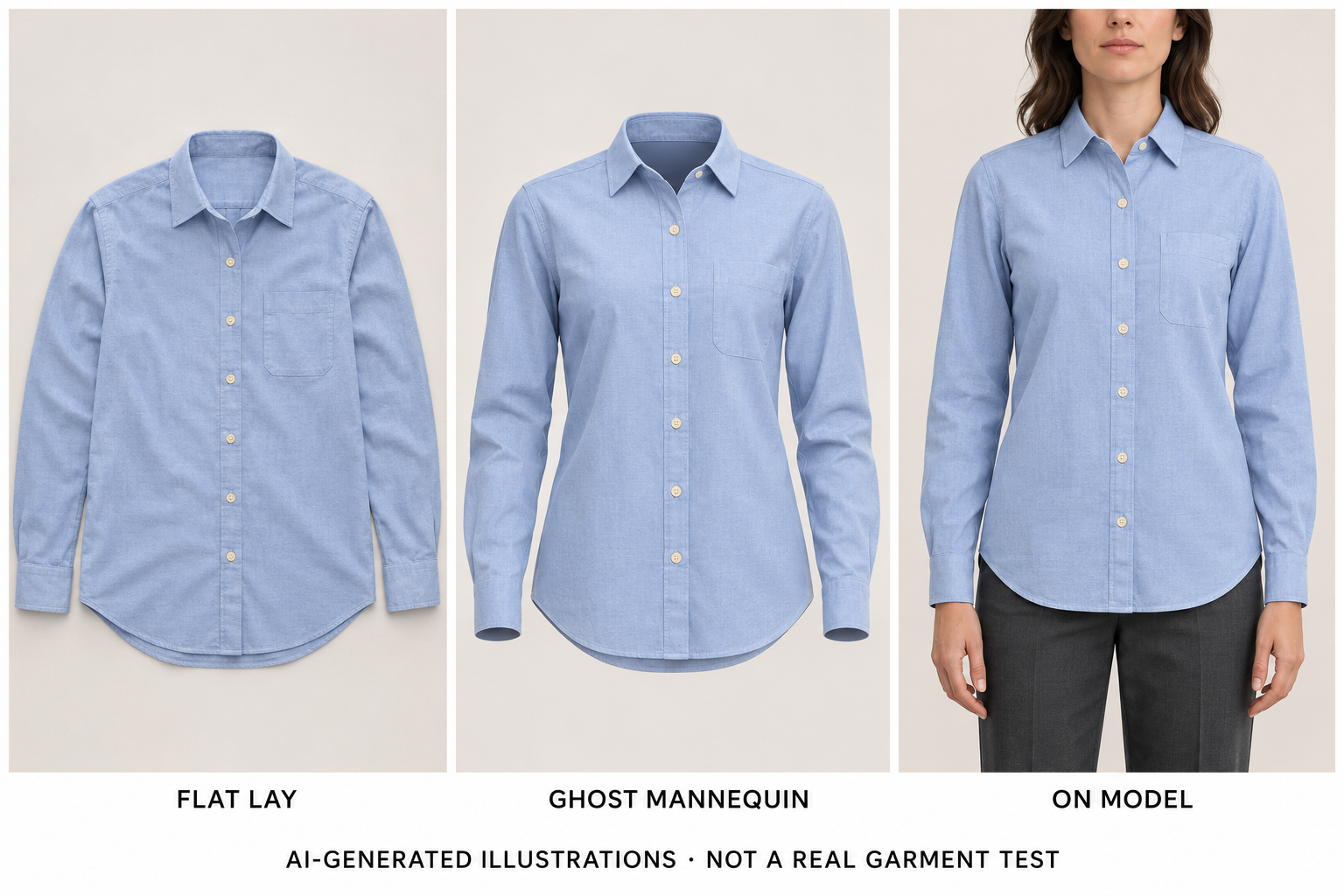
Start with real garment photographs. Add close-ups of the actual seams, closures, labels and condition. A generated image cannot verify those details.
Useful for: Visible outline and photographed details
Prepare: Arrange the real garment, use even light and photograph from above.
Keep in mind: It cannot show hidden surfaces or prove how the garment fits a person.
Useful for: Garment volume without the mannequin in the finished composite
Prepare: Photograph the garment on a suitable mannequin and capture the openings needed for editing.
Keep in mind: A composite still needs review. It is not a body measurement or a fit test.
Useful for: A visual styling direction made from reference images
Prepare: Prepare the permitted person photo, garment references and a clear scene brief.
Keep in mind: The result can redraw construction, color or condition. Keep real detail photographs.
This is a workflow selection guide, not a controlled comparison of all three methods on the same garment. TryOnSwap does not provide a dedicated ghost-mannequin capture or compositing tool.
These are manual checks. This page does not upload, analyze or certify a photograph. Choices reset when you leave.
Keep that area out of any claim about the product. Use an accurate real photograph, improve the source reference, or review a new candidate if you choose to generate again. Check the displayed cost first; another attempt is a new generation.